
What is Simulation Software and Why is it a Game-Changer for Robotics?
For decades, deploying a new robotic cell on the factory floor was a high-stakes, time-consuming, and expensive endeavor. It involved weeks of physical setup, tedious on-site programming while the robot was offline (not producing), and inevitable trial-and-error that risked equipment damage and production delays. Today, a profound shift is underway, powered by a transformative tool: robotics simulation software.
This isn’t just a minor improvement; it’s a fundamental change in how we design, program, and deploy automation. But what exactly is it, and why is it revolutionizing the industry?
What is Robotics Simulation Software?
At its core, robotics simulation software is a virtual playground for engineers. It’s a sophisticated computer program that creates a dynamic, physics-based digital model of the real world. Within this virtual environment, you can:
- Design and Model: Build a complete digital replica of your robot, its tools (end-effectors like grippers or welders), and the entire workcell—including conveyors, machines, and safety fences.
- Program and Test: Write, debug, and validate the robot’s program entirely in the simulation.
- Analyze and Optimize: Run the simulation to see the robot move, check for reachability, identify collisions, and analyze cycle times to find the most efficient path.
Think of it as a “flight simulator for robots.” Pilots wouldn’t dream of flying a new aircraft without countless hours in a simulator. Similarly, robotics engineers can now perfect their automation systems in a risk-free digital space before a single piece of hardware is ever installed.
This capability is driven by two powerful concepts: Digital Twins and Offline Programming.
The Power of the Digital Twin: A Virtual Mirror
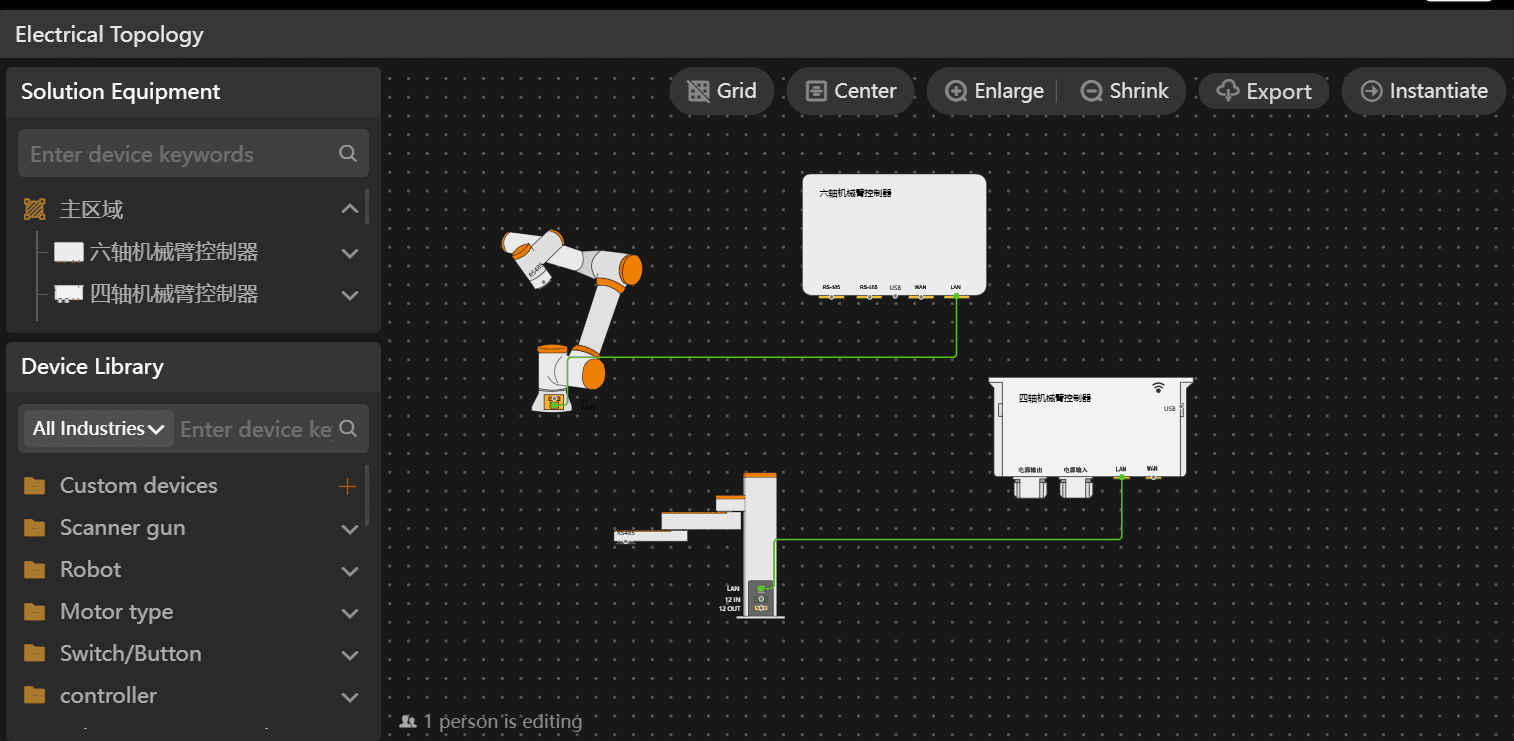
A Digital Twin is more than a static 3D model; it’s a live, connected, and data-rich virtual representation of a physical asset or process. In robotics, the Digital Twin of a workcell continuously mirrors its real-world counterpart.
How it works: The simulation software is synchronized with the physical robot through sensors and data feeds. This allows the virtual model to reflect the real robot’s status, performance, and health in real-time.
Why it’s a Game-Changer:
- Predictive Maintenance: The Digital Twin can analyze performance data to predict when a motor might fail or a component needs service, preventing unplanned downtime.
- Continuous Optimization: You can test process improvements and “what-if” scenarios in the twin without disrupting the live production line. Once validated, the optimized program can be deployed to the physical robot.
- Remote Monitoring and Control: Experts can monitor and troubleshoot systems from anywhere in the world by interacting with the Digital Twin, reducing the need for on-site visits.
The Digital Twin turns the simulation from a one-time planning tool into a living, breathing partner throughout the entire lifecycle of the robotic system.
Offline Programming (OLP): Code Without Downtime
Traditionally, robot programming was done online—meaning programmers had to teach points and paths directly on the physical robot, which was stopped and unproductive. This method, known as “teach pendant programming,” is slow and takes up valuable production time.
Offline Programming (OLP) flips this model on its head. Engineers create the entire robot program within the simulation environment. The software automatically generates the code (often specific to the robot brand, like Fanuc, KUKA, or ABB) based on the actions defined in the virtual world.
The impact of OLP is monumental:
Program Anywhere, Anytime: Robot programs can be developed concurrently with the cell’s physical construction, slashing the overall project timeline.
Eliminate Production Downtime: Since the program is perfected in simulation, the deployment on the real robot becomes a simple matter of uploading and fine-tuning, taking hours instead of weeks. The robot stays in production far longer.
Complex Paths Made Simple: For applications like welding, painting, or polishing that require complex, precise paths, OLP is vastly superior. The software can easily import CAD models of a part and generate the optimal toolpath automatically—a task that is incredibly tedious and error-prone by hand.
The Triple Win: Reducing Time, Cost, and Risk
When combined, Digital Twins and Offline Programming deliver a powerful triple win that makes robotics more accessible and effective than ever before.
- Drastically Reduce Deployment Time
- Parallel Workflows: Mechanical design, cell construction, and robot programming can happen simultaneously. There’s no longer a need to wait for the physical cell to be built before starting the programming phase.
- Faster Debugging: Identifying and fixing errors like joint limits, singularities, or logic flaws is exponentially faster in a simulation where time can be sped up, and scenarios can be reset instantly.
- Example: A project that traditionally took 12 weeks from design to production can now be compressed to 6-8 weeks, getting your automation investment to work and generating ROI much faster.
- Significantly Lower Costs
- Reduced Capital Cost: You can optimize cell layout and robot selection in the simulation, ensuring you don’t overbuy on a robot that is too large or powerful for the task.
- Minimized Downtime Costs: This is the biggest cost savings. Production lines are revenue-generating assets. Every hour they are stopped for robot integration is lost money. OLP protects your production schedule.
- Lower Labor Costs: Engineers can work more efficiently from their desks, reducing the costly hours spent on the noisy, often uncomfortable factory floor.
- Mitigate Project-Risk
- Eliminate Physical Collisions: The simulation software performs continuous collision detection. You can see—and prevent—a robot arm crashing into a machine or safety fence before it happens in the real world, preventing costly damage and injury.
- Validate Feasibility Early: Can the robot actually reach all the required points? Is the cycle time achievable? Simulation answers these critical questions at the design stage, not during the stressful installation phase when changes are prohibitively expensive.
- Enhanced Safety: By testing and validating safety protocols (like light curtains and emergency stops) in the simulation, you create a safer work environment for human operators.
Beyond Manufacturing: The Expanding Horizon
While manufacturing is the primary beneficiary, robotics simulation software is revolutionizing other fields:
Logistics and Warehousing: Simulating entire fulfillment centers to optimize the paths of autonomous mobile robots (AMRs) for maximum efficiency.
- Healthcare: Pre-planning complex surgical robot procedures for greater precision.
- Agriculture: Testing autonomous harvesting robots in varied virtual landscapes.
- Research and Development: Accelerating the development of next-generation robots and AI algorithms in realistic virtual worlds.
Conclusion: The Future is Simulated
Robotics simulation software is no longer a “nice-to-have” for large corporations; it has become an essential, game-changing tool for any organization serious about automation. By embracing the power of Digital Twins and Offline Programming, companies can innovate faster, operate more efficiently, and compete more effectively.
It demystifies and de-risks robotics, allowing us to build, test, and perfect the automated systems of tomorrow within the safe, boundless confines of the digital world today. The question is no longer if you should use simulation, but how quickly you can integrate it into your robotics lifecycle.
Ready to simulate your success? Explore our cutting-edge simulation solutions and see how you can transform your robotics deployment process.