
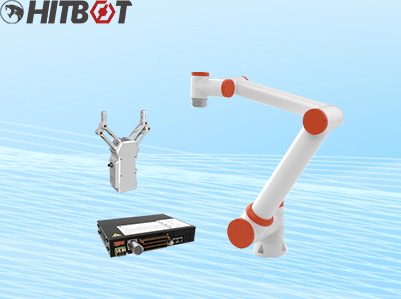
How Does a Collaborative Robot (Cobot) Work?
Ever imagine working side-by-side with a robot? Not locked away in a cage, but right there, handing you tools, assembling parts, or packing boxes? That’s the reality with Collaborative Robots (Cobots). Unlike traditional industrial robots that need safety cages, cobots are designed to be safe, flexible, and easy to work with humans. But how does a collaborative robot work? Let’s break it down simply.
The Core Idea: Safety and Simplicity First
Traditional robots are powerful and fast, but they operate blindly in their pre-programmed space. Cobots flip the script. They are built with safety features and intelligence that allow them to sense their surroundings, especially humans, and react appropriately. This is key to collaboration.
Think of a cobot like a helpful colleague. It has:
- A Physical Arm: To move and interact with the world (the hardware).
- A “Brain”: To understand tasks, make decisions, and learn (the software).
- “Senses”: To perceive its environment and stay safe (integrated sensors).
Let’s explore each part:
Part 1: The Hardware – The Cobot’s Body
The most visible part is the mechanical arm. This isn’t just metal; it’s a sophisticated system working together:
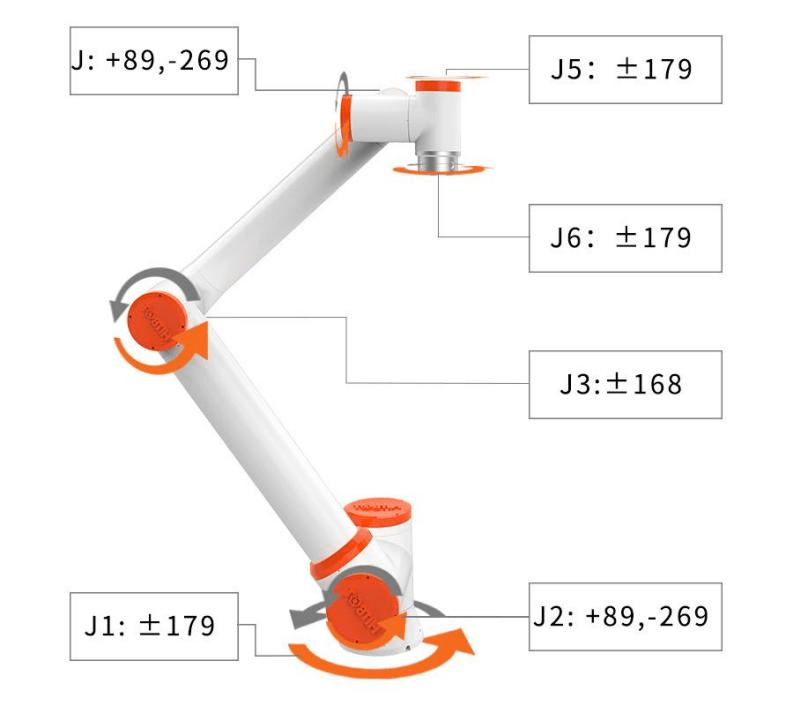
- Joints and Links: Like a human arm, a cobot arm has segments (links) connected by joints. Each joint allows movement in a specific direction (rotating, bending). Typically, cobots have 4 to 7 joints, giving them flexibility similar to a human arm – this is called degrees of freedom.
- Motors (Actuators): Located at each joint, these are the cobot’s “muscles.” They precisely control the movement, speed, and force of the joint. Cobot motors are designed to be powerful enough for the task but limited to prevent injury if contact occurs.
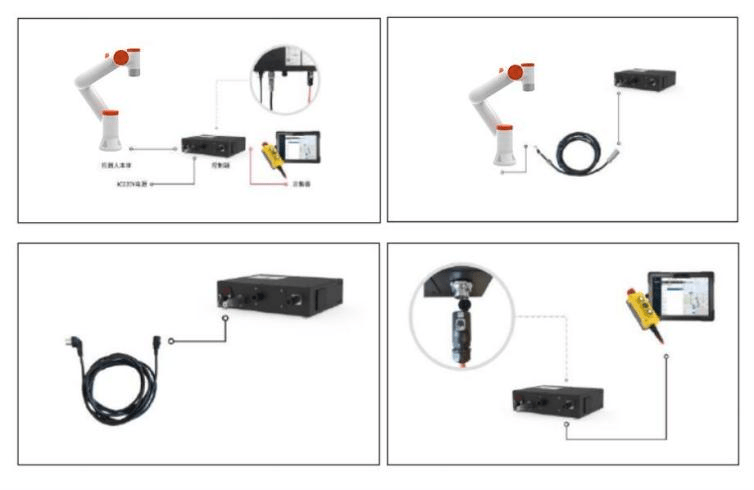
- Controllers: This is the central “nervous system” housed in the base or arm. It takes commands from the software and sends precise electrical signals to the motors, telling them exactly how much to move, how fast, and with how much force.
- End Effector (Tooling): This is the cobot’s “hand.” It’s not part of the cobot itself but is attached to the final link. It could be:
- A gripper (mechanical, suction, magnetic) to pick up objects.
A welding torch. A screwdriver. A sanding pad. A camera for inspection.
The end effector defines the specific task the cobot performs.
- Sensors (Built-in): This is where the magic of collaboration happens. Cobots are packed with sensors:
Force/Torque Sensors: Embedded in the joints, these constantly measure the force and twisting moment (torque) being applied. If the arm bumps into something (or someone) unexpectedly, it feels the resistance and can stop immediately or move away. This is crucial for safety and for delicate tasks like inserting parts.
Position Sensors: Encoders at each joint tell the controller the exact angle of the joint at all times. This allows the cobot to know precisely where its arm is positioned.
Vision Systems (Often Integrated): Many cobots have built-in cameras or easy interfaces for adding them. These act as “eyes,” allowing the cobot to locate objects, check quality, or guide its movements based on what it sees.
Part 2: The Software – The Cobot’s Brain and Senses
Hardware provides the body, but software provides the intelligence and instructions:
- Operating System & Control Software: This is the core software running on the cobot’s controller. It manages all the hardware components, processes sensor data in real-time, and executes the programmed tasks with precision and safety.
- Programming Interface: How do you tell the cobot what to do? This is designed to be easy:
- Lead-Through Programming: The most user-friendly method. You physically grab the cobot arm and move it through the desired steps (e.g., move to point A, grip the part, move to point B, release). The cobot records these positions and movements. You then refine speeds, add logic (like “only grip if sensor sees a part”), or set force limits via a simple graphical interface on a tablet or teach pendant.
- Graphical User Interface (GUI): Intuitive apps allow users to build programs using drag-and-drop blocks representing actions (Move, Wait, Gripper Open/Close, If/Then logic). No traditional coding required.
- Simulation Software: Often available, allowing you to program and test the cobot’s tasks virtually on a computer before running it on the factory floor, saving time and preventing errors.
- Safety System Software: This is constantly running in the background. It monitors data from the force/torque sensors and other safety inputs. If it detects unexpected force (like hitting a person) or if a safety zone (defined in software) is breached, it triggers an immediate protective stop – freezing movement, reducing power, or gently backing away. Settings comply with international safety standards (like ISO 10218 and ISO/TS 15066).
- Perception Software: If the cobot uses vision or other external sensors (like lidar), specialized software processes this data. It identifies objects, determines their location and orientation, detects people nearby, and feeds this information back to the control system so the cobot can adapt its actions accordingly.
- Connectivity Software: Cobots are designed to integrate. Software allows them to communicate with other machines (PLCs – Programmable Logic Controllers), factory networks (MES/SCADA systems), sensors, and databases (e.g., receiving work orders or sending quality data). This is often done via standard protocols like Modbus TCP, Ethernet/IP, or OPC UA.
Putting it All Together: How does a collaborative robot work?
Imagine a cobot tasked with picking screws from a feeder and inserting them into a workpiece:
- Start Up & Safety Check: Powered on, the cobot runs internal checks. Its safety system is active, monitoring sensors.
- Program Execution: The controller loads the specific “Insert Screw” program created by the user via lead-through or the GUI.
- Movement to Position: The controller calculates the path. It sends signals to the motors at each joint. Position sensors provide constant feedback to ensure the arm moves exactly along the planned, safe path to the screw feeder location.
- Sensing & Gripping: Vision might locate the screw precisely. The arm moves in. Force sensors activate as the gripper closes. The software ensures it grips with just enough force to hold the screw securely without crushing it.
- Movement with Payload: The arm, now carrying the screw, retracts smoothly along the programmed path towards the workpiece. Force sensors continuously monitor. If an unexpected obstacle is encountered, the safety software instantly stops motion.
- Insertion: The arm positions the screw over the hole. Using force sensing, it gently pushes the screw down. If it feels resistance (misalignment), it might make tiny adjustments or stop and signal an error.
- Release & Return: Once inserted (potentially confirmed by torque reaching a certain level), the gripper opens. The arm then moves back to its start position or to the next screw, ready to repeat.
- Constant Monitoring: Throughout this cycle, the safety system is vigilant. If a worker steps too close into a predefined safety zone monitored by sensors or cameras, the cobot might slow down significantly or stop completely until the path is clear again.
Why This Matters: The Cobot Advantage
Understanding how cobots work highlights their benefits:
- Safety: Integrated sensors and software enable safe human-robot interaction without cages in many applications.
- Ease of Use: Simple programming methods (like hand-guiding) mean you don’t need robotics experts to deploy them.
- Flexibility: Easy to reprogram and redeploy for different tasks or products, perfect for high-mix, low-volume production.
- Precision & Consistency: They perform repetitive tasks accurately, 24/7, improving quality and reducing errors.
- Increased Productivity: They handle tedious, ergonomically challenging, or dangerous tasks, freeing humans for higher-value work.
- Fast ROI: Lower cost and easier integration compared to traditional robots lead to quicker payback periods.
Conclusion: Intelligence Built for Teamwork
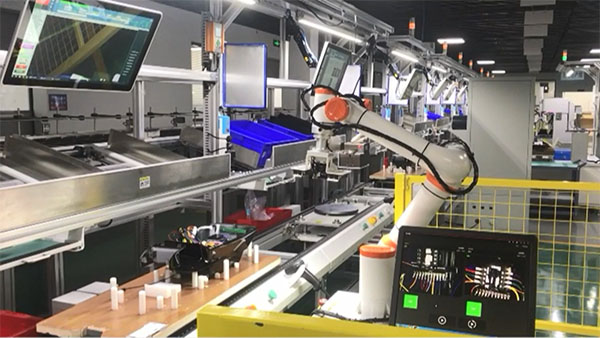
A collaborative robot isn’t just a dumb machine. It’s a sophisticated system combining precise mechanics, powerful motors, advanced sensors, and intelligent software – all designed with one core purpose: to work safely and effectively alongside humans. From feeling its way through a delicate assembly to seeing and adapting to its environment, the cobot’s operation is a continuous loop of sensing, processing, and acting. This blend of physical capability and responsive intelligence makes cobots not just tools, but valuable teammates, transforming how work gets done on the modern factory floor and beyond. Ready to welcome your next coworker?